JWT Authentication in React Concepts
Learning objective: By the end of this lesson, learners will be able to explain the process of JWT authentication within a React application, including obtaining, storing, and utilizing JWTs for maintaining secure user sessions.
JWT Authentication
JWT (JSON Web Token) is a popular token-based authentication method in web applications. Here’s an overview of how React applications handle tokens generated by a JWT back-end and store them for use in future HTTP requests.
Obtaining the token
-
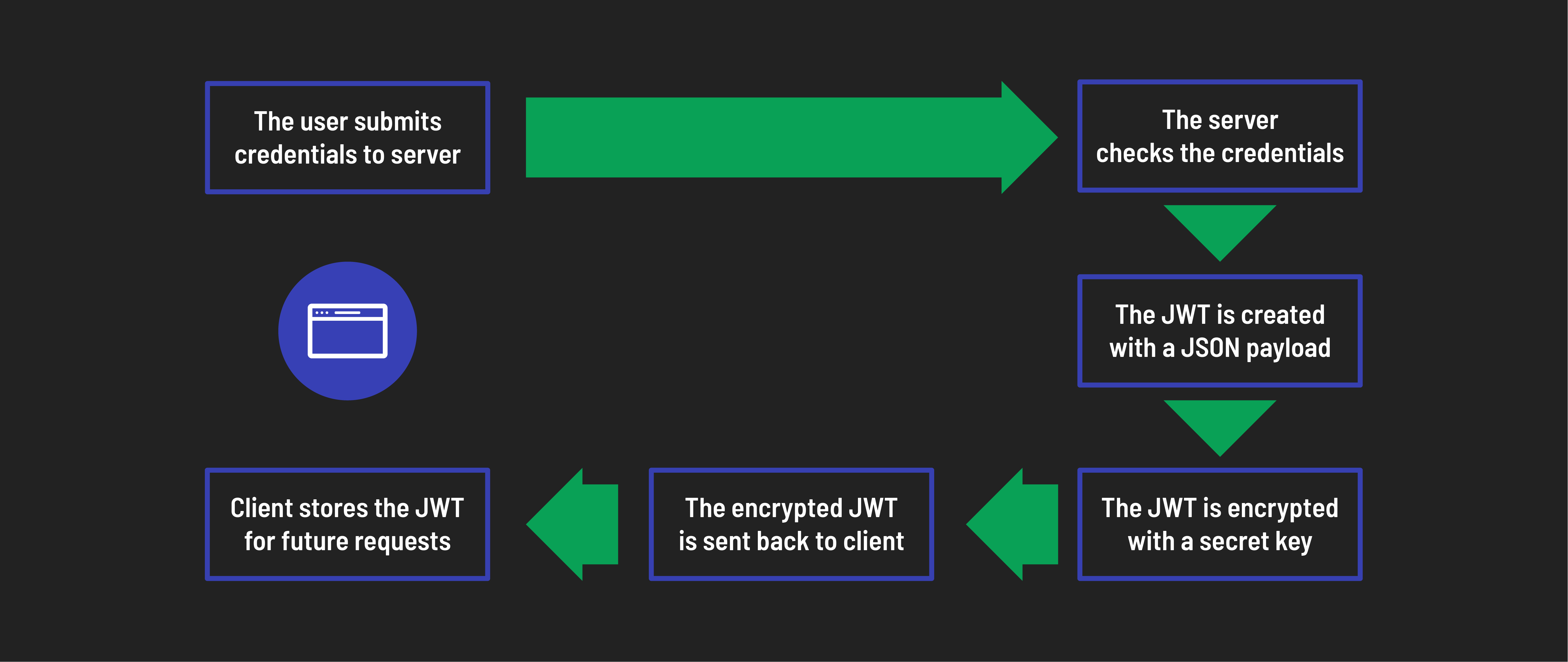
Sign-in form: The React application presents a sign-in form where users can enter their credentials.
-
API call: Once the user submits the form, the application sends an API call to the back-end. This call includes the user’s credentials in the request body. The back-end endpoint responsible for handling login requests receives this data.
-
Back-end authentication: The back-end server validates the user’s credentials against its database (or other auth mechanisms). If the credentials are valid, the back-end app generates a JWT token. Typically, this token contains minimal user information (such as user ID, roles, and a username) and a unique signature to ensure its authenticity and integrity.
-
Token response: The back-end then sends a response to the React app. This response includes the generated JWT token in the header or body of the response. The back-end server is already set up to send the token in the body of the response as JSON data.
-
React app token storage: The React app receives the token, extracts the necessary data, and finally stores the token for future use on the client. We’ll use local storage to store the token.
Storing the token
Once the React app successfully authenticates and receives a JWT token from the server, it is crucial to store this token securely for future use.
We have a few options for how to do this:
Local storage
We can store the token in the browser’s local storage to allow access across different pages and sessions, even if we refresh the browser. Note that this storage method can be vulnerable to specific targeted XSS attacks.
HTTP cookies
We can use cookies for token storage. This offers slightly better security but is still vulnerable to different types of targeted CSRF attacks. It also adds more complexity due to cookie management.
Token state management libraries
Libraries like the Auth0 Single Page App SDK can provide centralized storage and secure token access. These libraries can help handle token storage more securely by implementing storage methods such as Web Workers.
However, they can add complexity to the application. For example, by default a token stored in a Web Worker is not accessible after a page refresh, meaning additional layers of complexity are needed to maintain access to the token across sessions.
Our implementation
We’ll use local storage to store tokens in this app. This method is simple and effective for our purposes. Focus on understanding the token flow and how to use it in your application. You can explore other storage methods once you become more comfortable with this approach.
Sending tokens with future requests
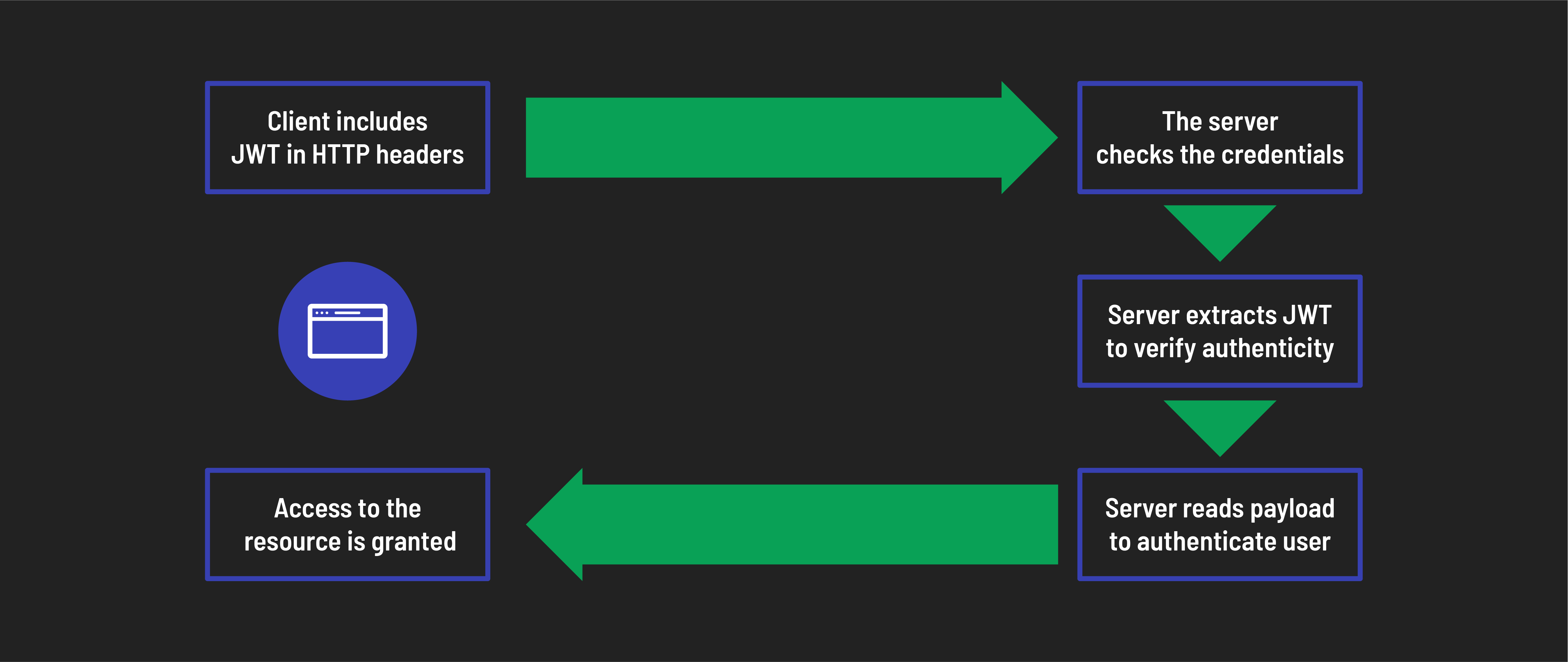
Once you have stored the authentication token, you will need to include this token in the headers of subsequent requests to access protected resources. This ensures that each request is authenticated, allowing the server to verify that the requester has the necessary permissions.
Express and JWT
While we’re using Express for our back-end in this case, it’s important to know that Express plays a generic role and is not essential or unique for this process. Any back-end framework with authentication capabilities can serve as the partner in this dance.