Intro to JavaScript Arrays
forEach()
Learning objective: By the end of this lesson, students will be able to utilize the forEach() method to execute a function on each item in an array.
Introducing the forEach() iterator method
The forEach() method is another declarative approach that provides a more readable way to iterate over all array elements. This method clearly communicates a developer’s intention to process each item and perform an action on each.
Functions as arguments
Before we dive into forEach(), let’s talk about a very cool feature of JavaScript. It treats functions as first-class citizens, meaning they operate like any other piece of data so they can be used as arguments.
📚 Entities such as functions in JavaScript that can be assigned to a variable, passed as an argument to a function, returned from a function, and stored in arrays or objects are known as first-class citizens.
Anonymous functions
When functions are used this way, they also don’t need a name. These unnamed functions are called anonymous functions. These look and behave like other functions; they just don’t have a name. This is great for one-time tasks where we don’t intend to call the function again.
📚 An anonymous function is a function without a name. Unlike named functions, you can’t refer to anonymous functions later in your code, making them useful for one-time operations.
Syntax
This is the most basic syntax for using the forEach() method on the movies array:
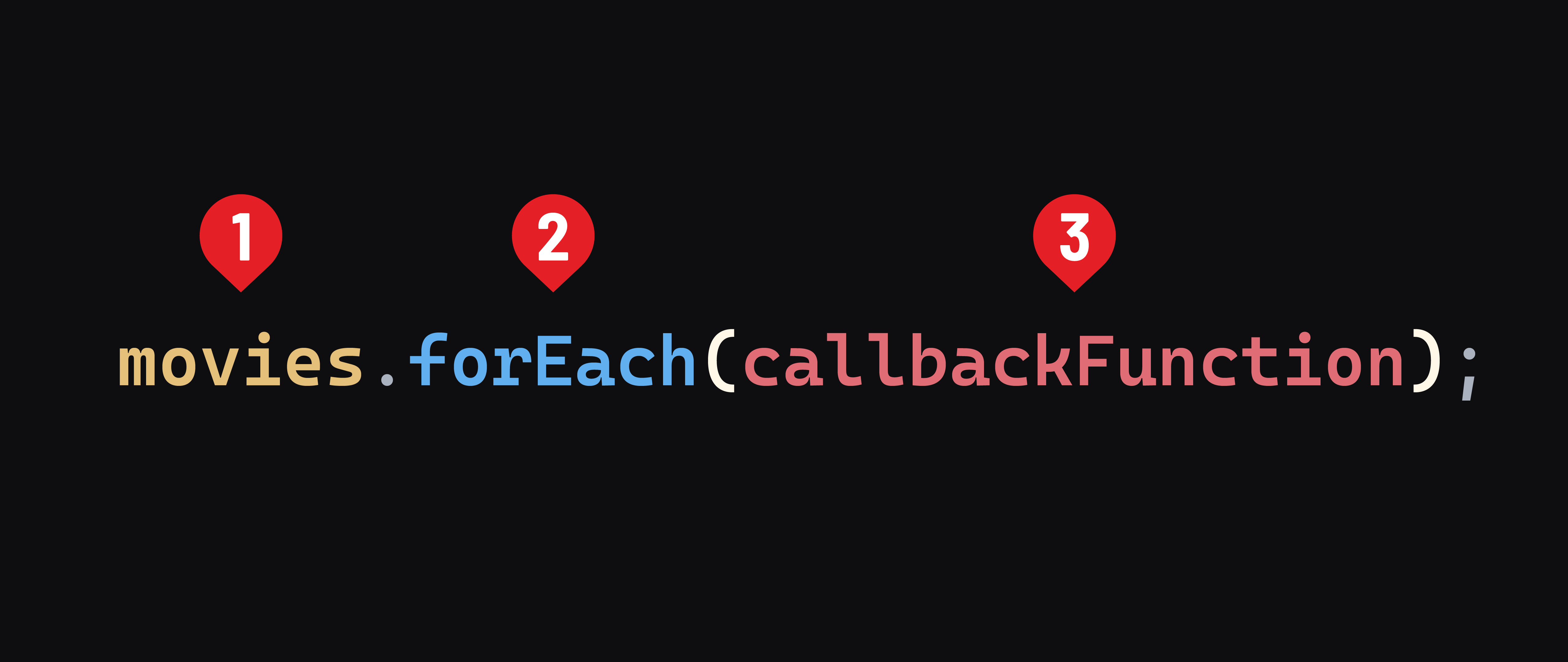
1) The array that we will iterate through, in this case, movies.
2) The forEach() method. This method always returns undefined, no matter what code is inside the callback function.
3) The callback function is where we will write the function that will be executed for each item in the movies array.
📚 A callback function is a function passed into another function as an argument.
We’ll start with the simplest callback function we can:
// as a reminder, movies is ['Barbie', 'Arrival', 'Get Out', 'Coco']

movies.forEach((movie) => {
  console.log(movie)
});
🏆 It’s recommended to name the first parameter (representing each item) as a singular form of the array’s name. So, if your array is named
movies, name the parametermovie.
Remember this callback function runs for each item in the movies array. movie is an individual element in the movies array. So in the first iteration movie will be 'Barbie'. In the second, it will be 'Arrival', and so on.
This code will result in the following output:
Barbie
Arrival
Get Out
Coco
In addition to the current element, forEach() also provides the index of the current element to the callback function:
movies.forEach((movie, index) => {
  if(index === 2) console.log("This is the third movie:");
  console.log(movie);
});
Which will result in the following output:
Barbie
Arrival
This is the third movie:
Get Out
Coco