Intro to HTML Comments and Elements
Learning objective: By the end of this lesson, learners will be able to construct HTML elements and comments.
Comments
You can add comments to an HTML document using the following syntax:
<!-- This is a comment -->
Comments can span multiple lines. Nothing inside the <!-- and --> comment tag will not be rendered.
🧠 VS Code can automatically comment line(s) of code for us by pressing
⌘ Command+/in macOS orCtrl+/in Linux and Windows.
Element syntax
We’ll talk more about the HTML boilerplate you created soon; for now add everything between the <body> and </body>. Content here will show up in the browser!
HTML documents are made up of elements.
At their simplest, elements are a pair of tags with content between them.
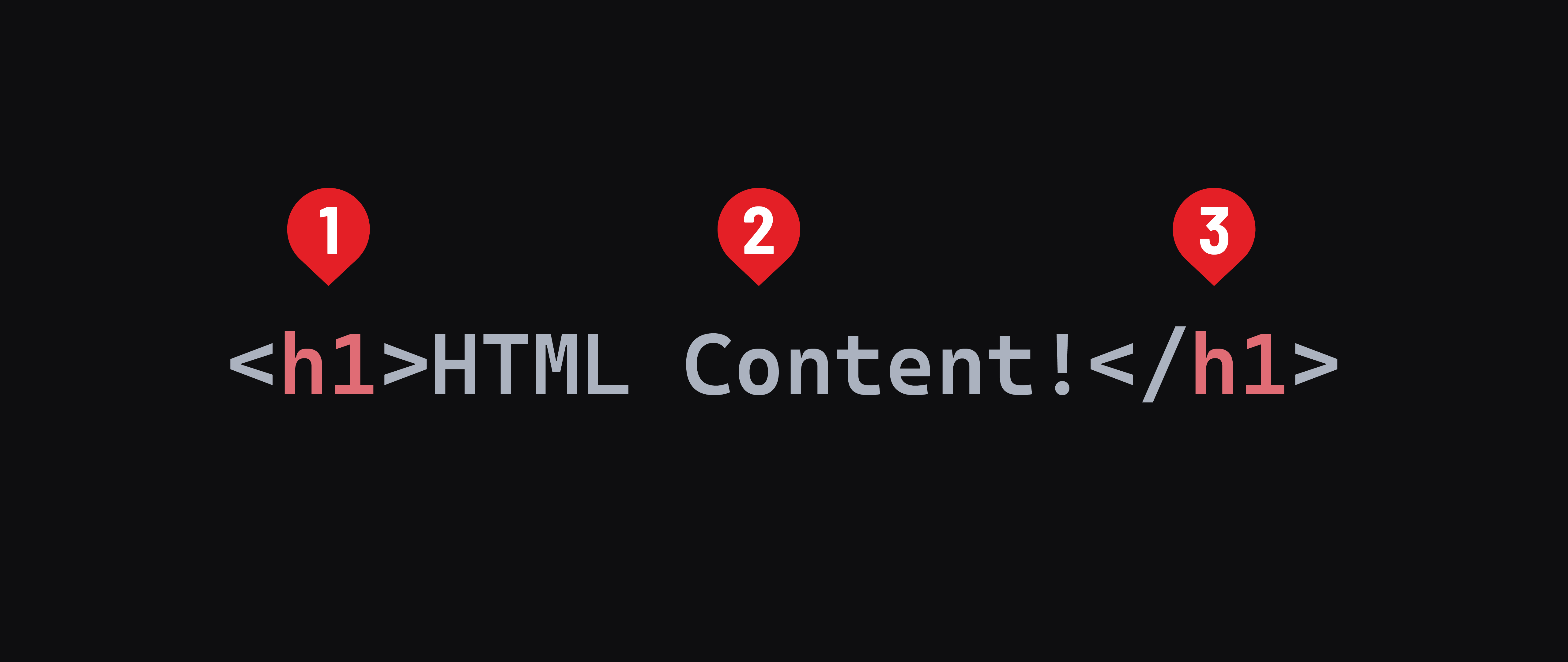
- The opening tag. The tag itself starts with a
<and ends with a>. Tags must also include the element name, likeh1above. This indicates the start of an element. - The content of an element,
HTML Content!here. - The closing tag. The tag starts with a
</(note the addition of the slash) and ends with a>. The closing tag also includes the element name between. It matches the element name of the opening tag.
These things combined create an element.
Most elements have a semantic meaning, and some default styling implemented by the browser. For example, an <h1> element indicates the main topic of a webpage. Along with this, its text content is bold, and its default font size is larger than any other text element.
Element names are always lowercase.
There are many different types of elements. MDN maintains a full reference here.
Void elements
Some elements won’t ever have text content. These are called void elements. Because they will not have text content, they do not have a closing tag. One such element is the <hr> element, which creates a horizontal rule.
<hr>
You may see void elements written with a space and closing / added to the end of the tag. This is valid but not required.
<hr />