Controlled Forms in React Concepts
Learning objective: By the end of this lesson, students will be able to explain the concept of React’s virtual DOM and its importance in regards to controlled forms in React applications.
React’s virtual DOM
In web browsers, the DOM (Document Object Model) is like a map of a website’s layout, where each part of the HTML structure is represented as nodes and objects. The virtual DOM, specific to React, is a lightweight, memory-based copy of the actual DOM, essentially a duplicate object managed by React.
Traditional DOM manipulation requires manual state management through the use of event handlers, variables, and direct content updates. This is often complex and prone to sync issues between the app’s state and what it displays based on that data.
React’s virtual DOM simplifies state management and maintains consistency between an application’s state and the visual representation of that state.
Through a process called reconciliation, React updates the actual DOM to match the desired state as defined in the virtual DOM, enabling a more streamlined and declarative approach to UI development.
The React virtual DOM as an analogy
Imagine that the UI of our React app is a giant skyscraper.
The real DOM is the building and represents the elements and structure displayed on the screen. Any changes we make to the building would be time-consuming and cumbersome. We’d need to tear down and rebuild the skyscraper whenever we wanted to make any changes to the building. Sounds expensive.
React’s virtual DOM is like a real-time holographic model of our skyscraper. Since it’s just a hologram, we can easily manipulate and update. We can even make frequent changes to our holograph without changing the building itself.
When changes do need to be made to our building, the virtual DOM allows React to make only the necessary updates efficiently. Rather than tearing down and rebuilding, our skyscraper is compared to the updated holograph, and the required changes are made to align the real skyscraper with the holograph.
Why controlled inputs and forms?
Without using controlled inputs in React, when someone types into a form field, the browser keeps track of what’s typed internally in its own memory. But this information isn’t directly shared with our React component.
This leads to two main problems:
- Information flow is limited: The data goes only one way – from the user typing to the browser storing it. Our React component isn’t in the loop.
- Our app can’t respond to changes: The most recent input value isn’t stored where the React component can access it. This inconsistency can cause issues when the component’s state needs to reflect the current inputs for validation or processing. For example, if we wanted to include functionality like enabling a submit button only when certain conditions are met.
To fix this, we use controlled inputs. This technique lets our React component take control over the form inputs, ensuring it stays updated and can respond to every change the user makes.
By using controlled inputs, we can implement complex form logic and interactions in a more straightforward way.
🧠 A controlled form in React is a form where all the form elements within it (inputs, checkboxes, select dropdowns, etc.) are controlled by React state.
Controlling inputs in React
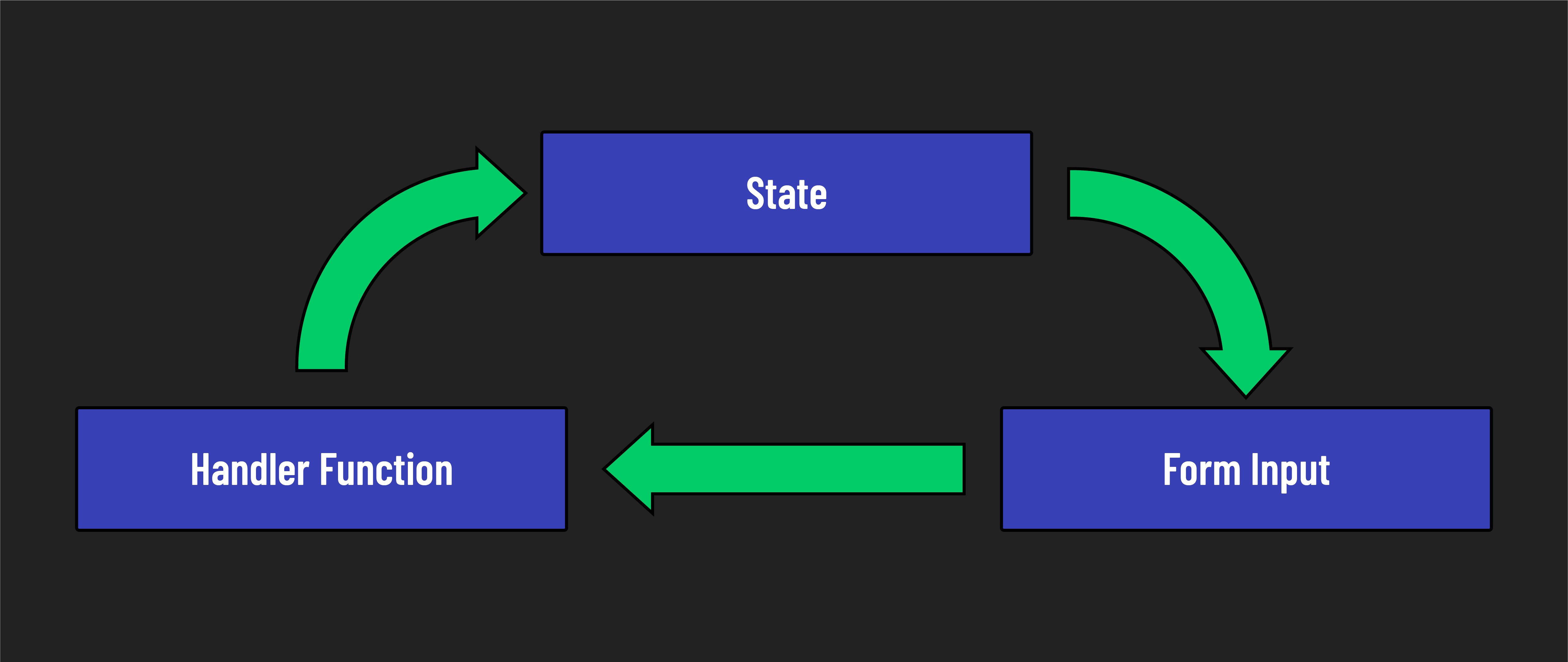
When we use controlled inputs, the component state is the single source of truth. This ensures that the value of an input is always synchronized with state.
This means a handler function fires an event each time a user types a character, which updates state, which updates the input field. It’s a complex cycle, but it gives React total control of each input field as a user interacts with it.
This brings us back to the importance of the virtual DOM.
For controlled inputs, the virtual DOM is vital because, each keystroke would trigger a DOM update without it. However, by using the virtual DOM, React batches updates and reduces the number of direct manipulations needed on the actual DOM. This is particularly important when handling forms with multiple inputs that might be updated rapidly or simultaneously.
The virtual DOM plays a crucial role by ensuring that the actual DOM is always in sync with the component’s state. When a user types into a controlled input, the input’s state is updated, and the virtual DOM reconciles these changes with the actual DOM efficiently.